Setting up email is simple:
-
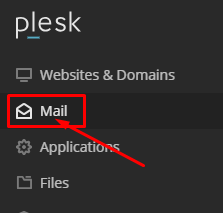
Go to "Mail" in Plesk
-
Click "Create Email Address"

-
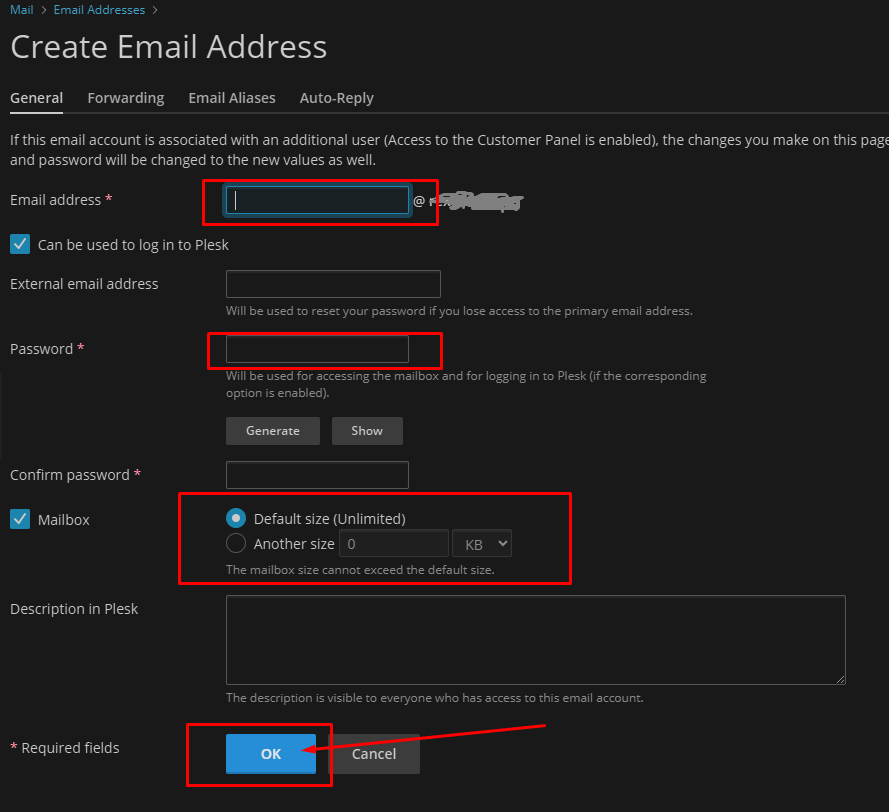
Enter the desired email name and password
-
Set mailbox quota if needed
-
Click "OK" to create

Setting up email is simple:
Go to "Mail" in Plesk
Click "Create Email Address"
Enter the desired email name and password
Set mailbox quota if needed
Click "OK" to create

Auxodomain Launch Advisor
What are you trying to do now?
Recommended path
Secure the domain first, choose hosting next, then add email, SSL, backup, or security only when the business case is clear.
